
Opened 13 years ago
Closed 10 years ago
#397 closed improvement (fixed)
Templates for composing emails
| Reported by: | jkenyon | Owned by: | |
|---|---|---|---|
| Priority: | minor | Milestone: | 7.6 |
| Component: | User Interface | Version: | 6.8.1 |
| Keywords: | Cc: |
Description
Ability to create email templates to be used when manually emailing documents. Templates would also allow metadata to be inserted into the email subject/body easily.
Attachments (4)
Change History (10)
comment:1 by , 13 years ago
| Priority: | Major → Minor |
|---|---|
| Type: | Bug → Improvement |
comment:2 by , 10 years ago
by , 10 years ago
by , 10 years ago
by , 10 years ago
by , 10 years ago
comment:3 by , 10 years ago
No worries... here is an idea of how to implement:
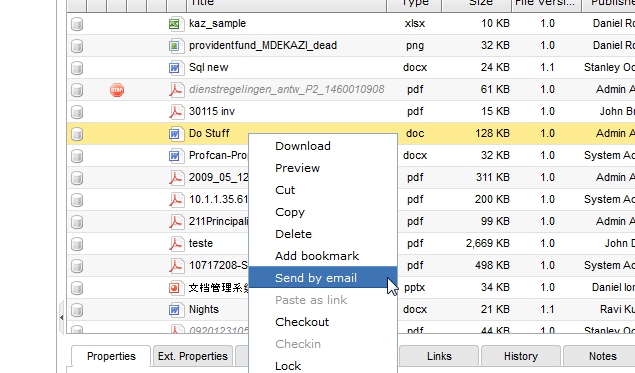
You right click on a document and select "Send by email" from the context menu (see Pic_1)
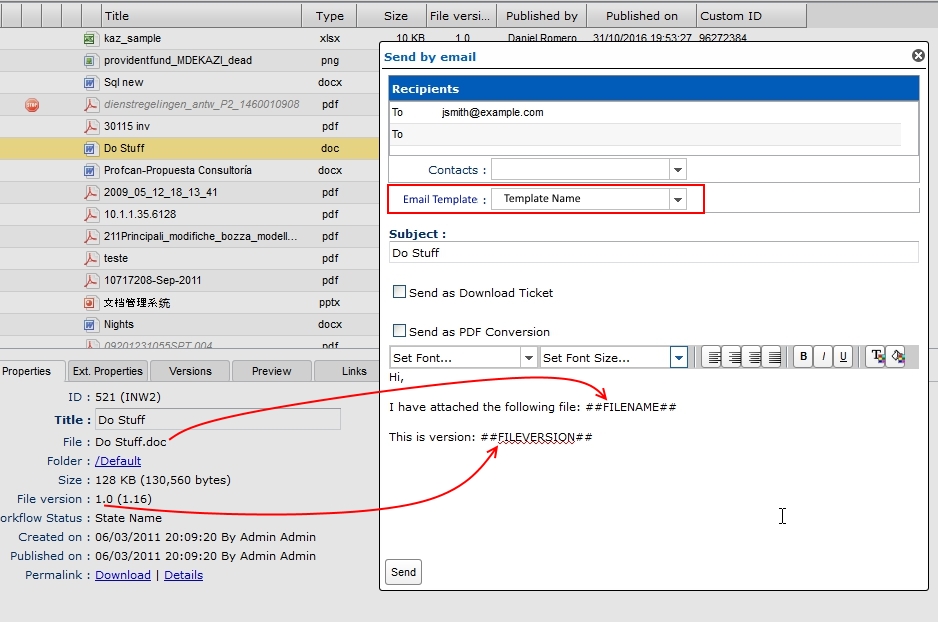
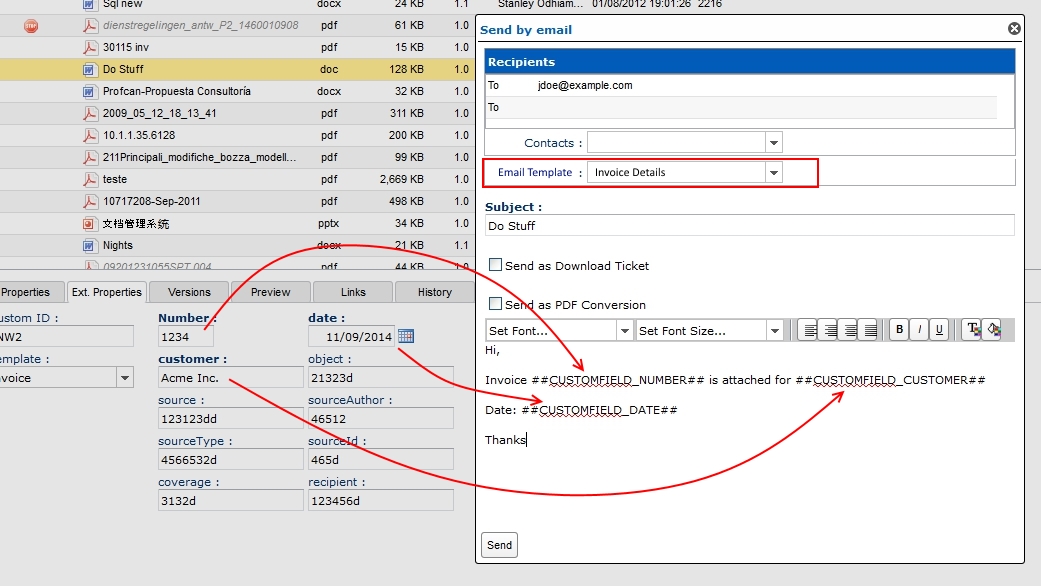
Then on the "Send by email" window, perhaps there is a drop down list for available email templates. Selecting a template will then add the pre-defined template text to the subject/body of the email being composed. This could include place-holders which will added values of metadata fields (see Pic_2 and Pic_3 for examples).
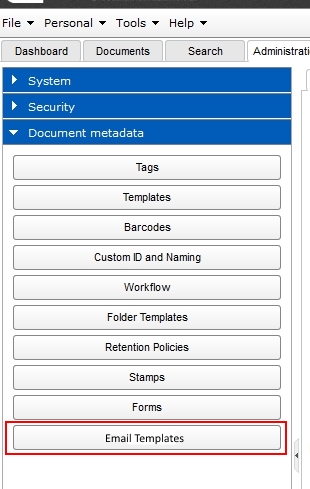
To administer email templates, this could be placed under Administration -> Document Metadata (see Pic_4)
If you need any further clarification please let me know.
Thanks
comment:4 by , 10 years ago
| Milestone: | → 7.6 |
|---|
comment:6 by , 10 years ago
| Resolution: | → fixed |
|---|---|
| Status: | new → closed |
the administration of the user templates will be done in Administration->Settings->Outgoiung Emails->templates





The requirement is not completely crear, can you provide some examples?